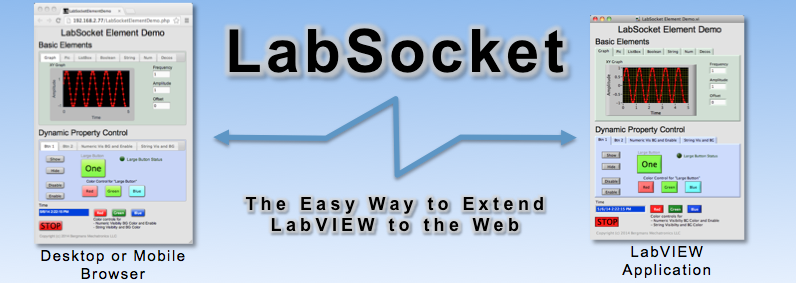
LabSocket extends the functionality of LabVIEW applications to the browser, without the use of browser plug-ins or requiring developers to write HTML or JavaScript code.
New!
LabSocket-E A version of LabSocket for National Instruments Real-Time platforms (including CompactRIO, Single-Board RIO, myRIO and PXI controllers) and Raspberry Pi devices.
Notable Features
Automatically creates and synchronizes a web page with a LabVIEW VI Front panel
Does not require client-side run-time engine or browser plug-ins - enabling remote LabVIEW access from almost any modern mobile or desktop browser
Operates over the Web or entirely within a customer LAN
Supports a wide range of Front Panel elements, including Pictures and MultiColumn ListBoxes
Optional LDAP user authentication support available, including OpenLDAP server
How it Works
On system startup, LabSocket performs a screenscrape of the LabVIEW application front panel and converts the front panel elements into JavaScript and HTML code. This code is then transferred to a web server which in turn renders a representation of the front panel in a browser.
During steady-state operation, LabSocket monitors the LabVIEW front panel for user or programmatically initiated changes. Any change is transmitted to JavaScript code in the browser which then updates the rendered page. The system also monitors for user initiated changes in the browser and transmits any changes back to the LabVIEW front panel.
As shown on the Videos and Screenshots page, the combination of VI front panel rendering in the browser and constant synchronization of the front panel and browser enables the functionality of the LabVIEW VI to be extended to the browser.
Behind the scenes, LabSocket employs the HTML5 WebSocket standard for continuous, bi-directional communication with the browser. This new standard is the basis for the name of the system: "LabSocket" = LabVIEW + WebSocket!
More information about the system operation can be found in the Technical Details section.
Example Application
Schneider Electric Remote Factory Acceptance Test
Schneider Electric's IT Division in Cavite, Philippines has developed a browser-based Remote Factory Acceptance Test application using LabVIEW and LabSocket.
The Remote FAT enables Schneider Electric customers to witness and control testing of Uninterruptible Power Supplies at the factory without the time and expense of traveling to the Philippines site.
The video below presents details of the application.